

















Free
Everything you need to plan an event.
- Events, budget, guests, vendors and to-dos
- Reminders, food menu, shopping and gifts
- All 6 languages
- Works offline, export your data
Made in India for every Indian celebration
Weddings, housewarmings, naming ceremonies, birthdays, poojas and festivals. Invitations, budget, guests and reminders in one app: your personal event manager that takes the tension off you.
Try the live demo: tap “View Demo Data”
Invitations
Type the details once. The app writes each guest’s name on their own card, in any of the 6 languages, and you send it straight to WhatsApp. Made on your phone, very affordable.
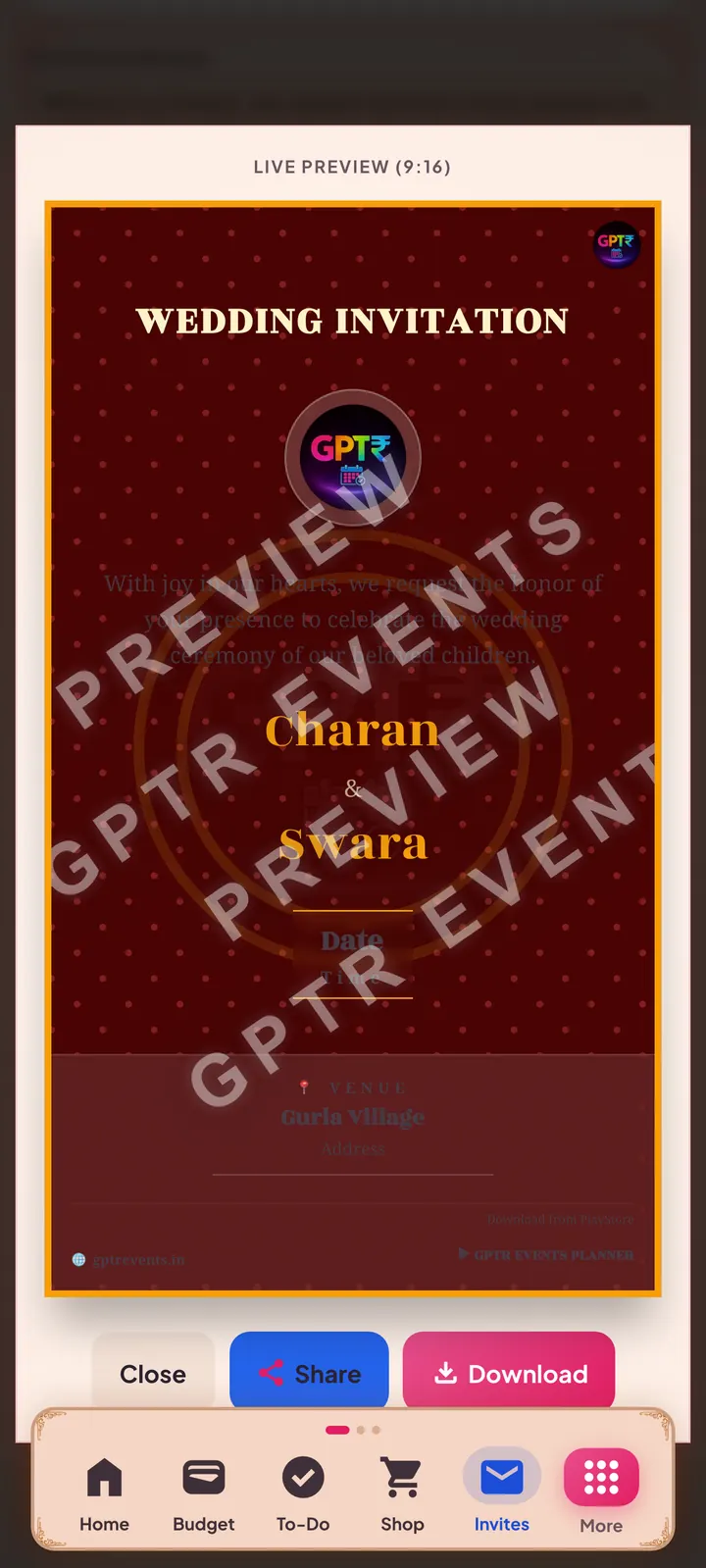
Pick a design, add your photos, colours and wording, and download a card ready for WhatsApp.
A themed invitation page that scrolls like a story: every function, a countdown and directions to the venue. Each guest opens a link with their own name on it.
Animated video invitations made right inside the app, with your names and details, ready to share.
Web-page and video invitations come with Premium. See the app for current prices.
Why we built it
The guest list in one book, payments in another, the menu on the back of a card.
Decisions buried in family groups, photos of bills lost in the scroll.
Advance paid to the caterer? Balance due to the decorator? Nobody is quite sure.
GPTR Event Planner is your personal event manager: every function, every rupee, every guest and every reminder in one calm place.
Every celebration
Weddings, yes. And the housewarming, the naming ceremony, the birthday, the pooja and the festival in your village. Plan each one with its own functions, budget, guests and invitations.
Inside the app
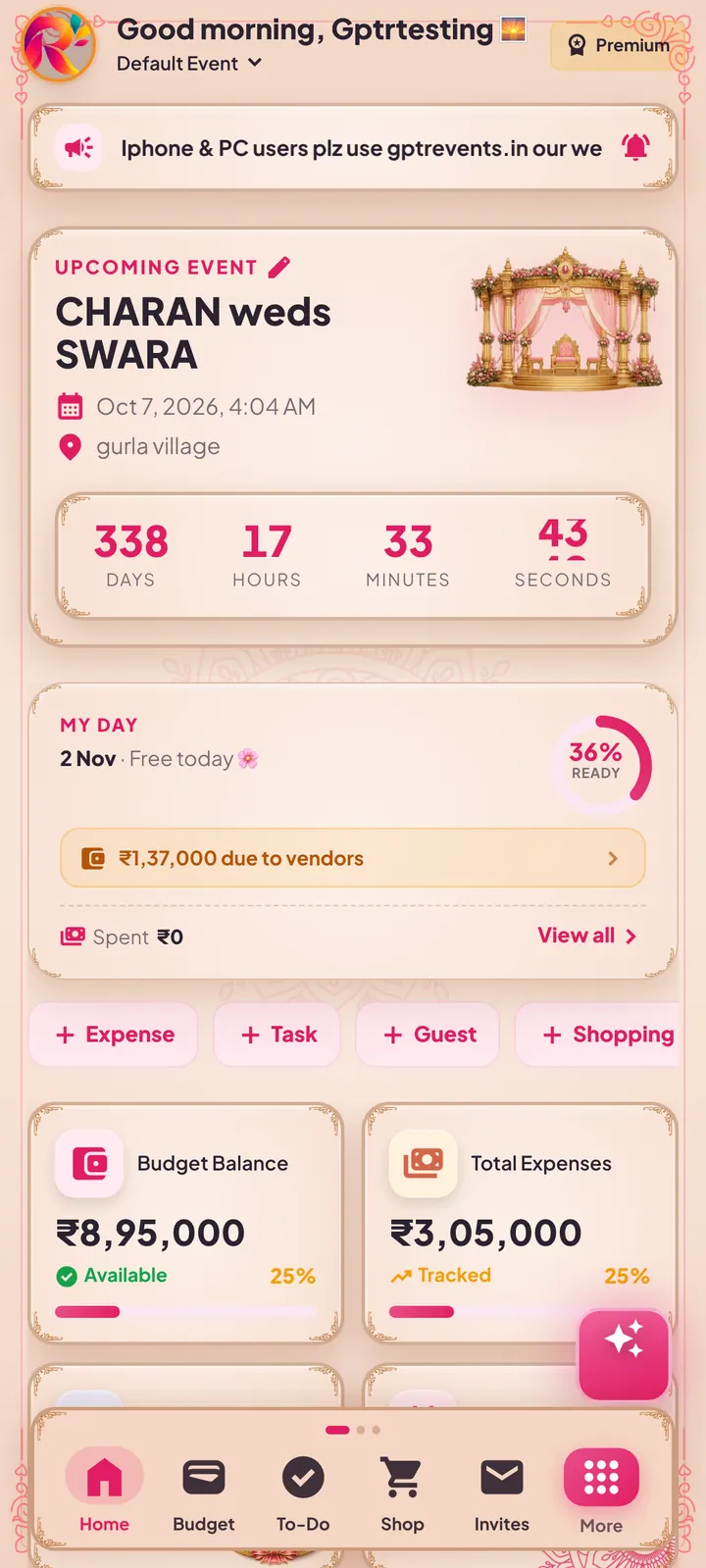
Real screens from the app, with a sample wedding.
01 / 07
The Haldi and the reception, or the pooja and the lunch of a housewarming: add each function with its date, place and its own countdown.
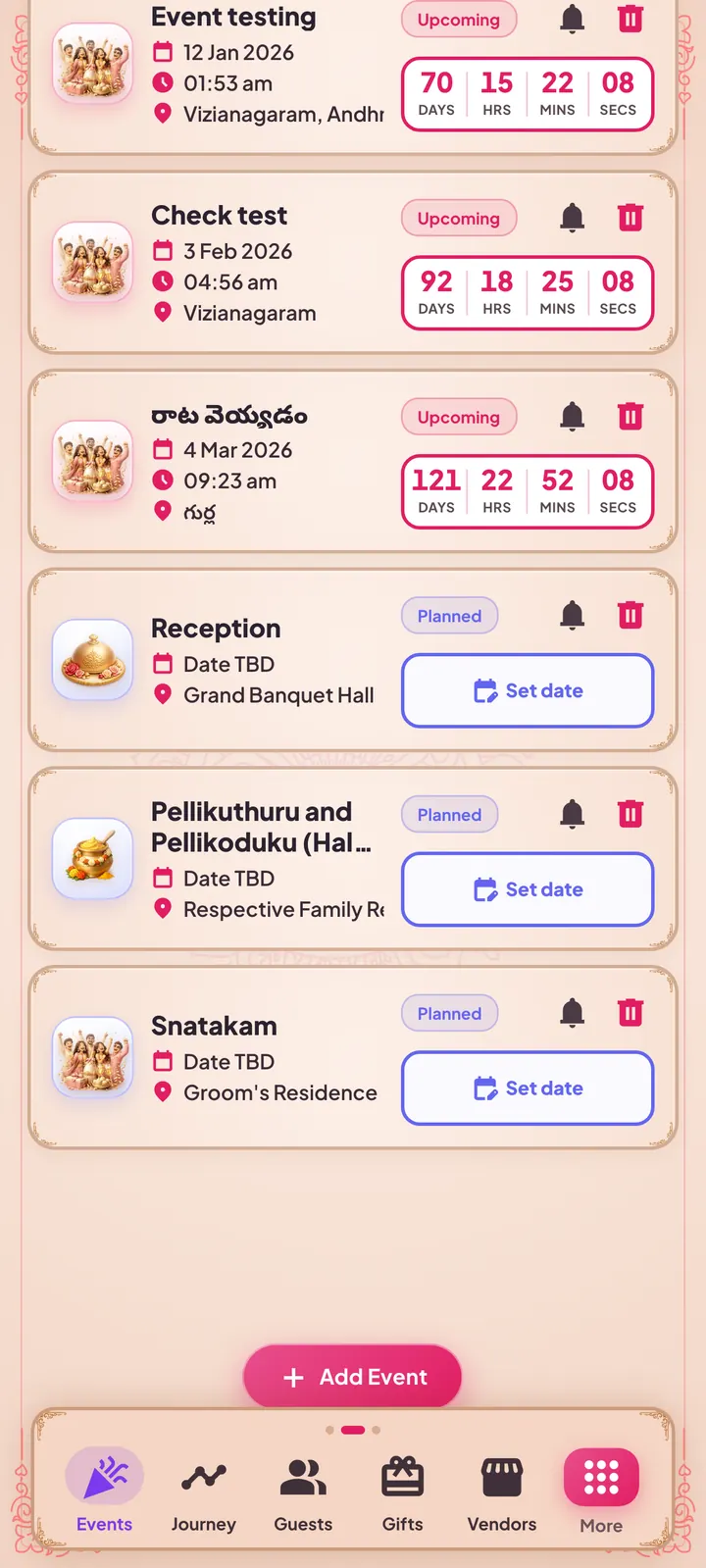
02 / 07
Set a budget per category, record every payment and see at a glance how much is used and how much is left.
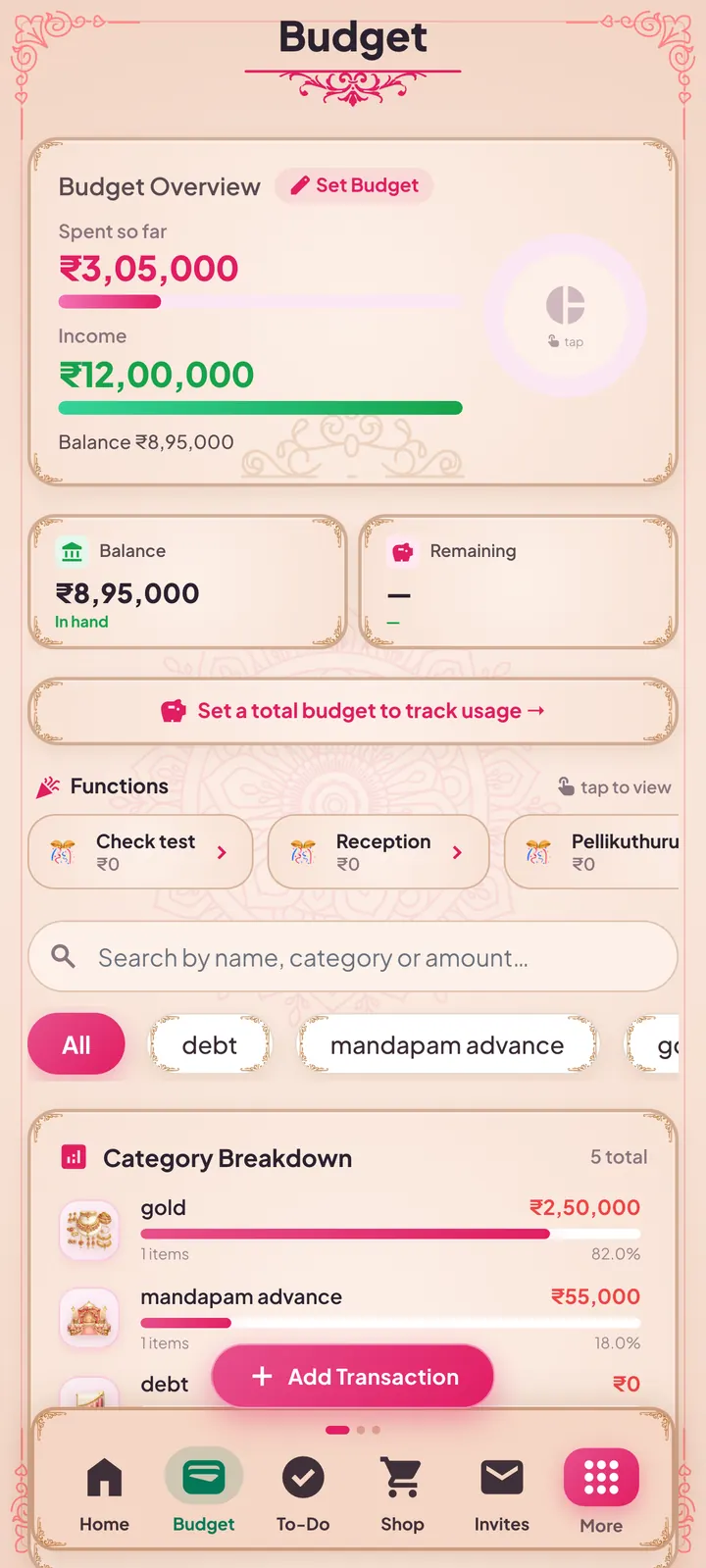
03 / 07
Keep confirmed, expected and declined guests in one list, and call, message or invite them straight from the app.
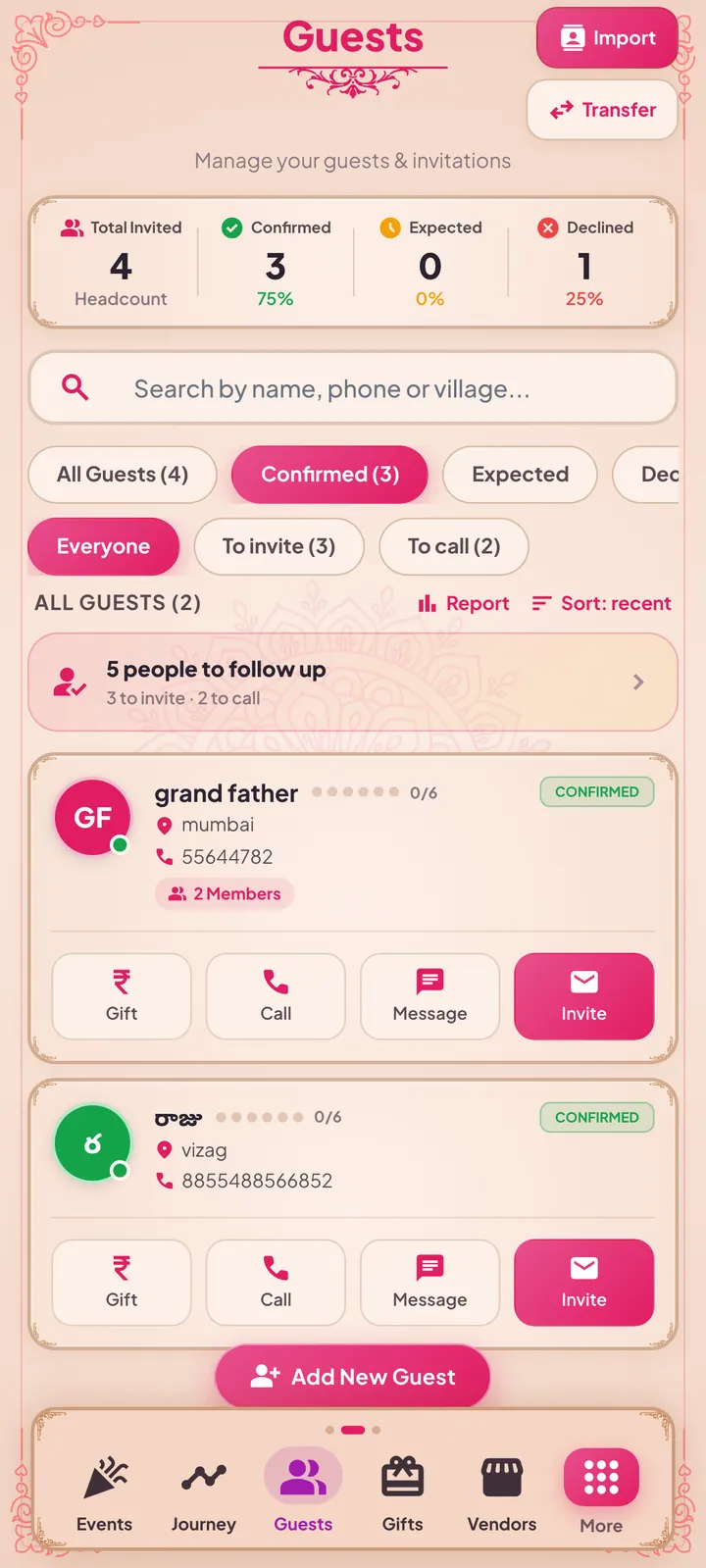
04 / 07
Record the cash, gold, silver and gifts you receive, so thank-yous and return gifts are easy later.
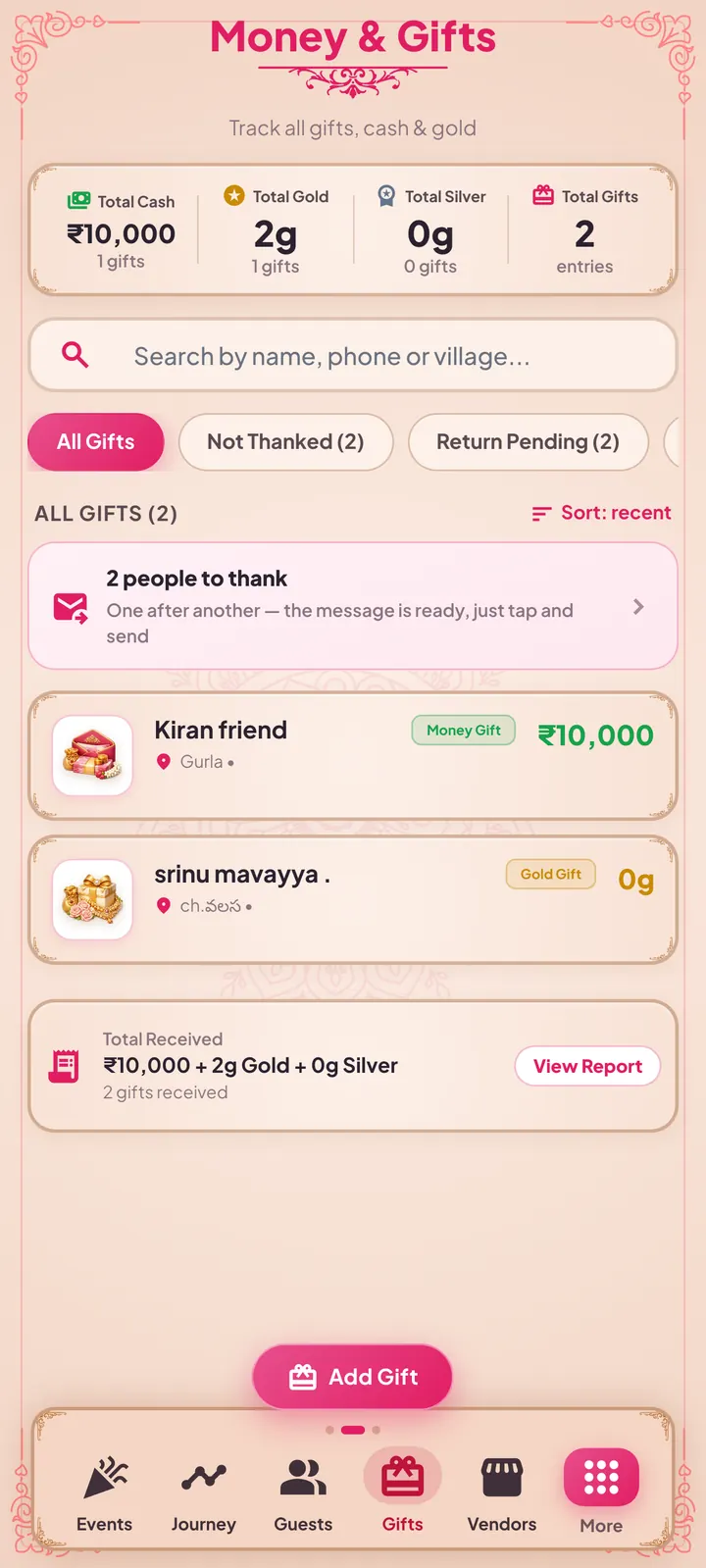
05 / 07
Plan breakfast, lunch and dinner for each function, veg and non-veg, from a ready list of dishes.
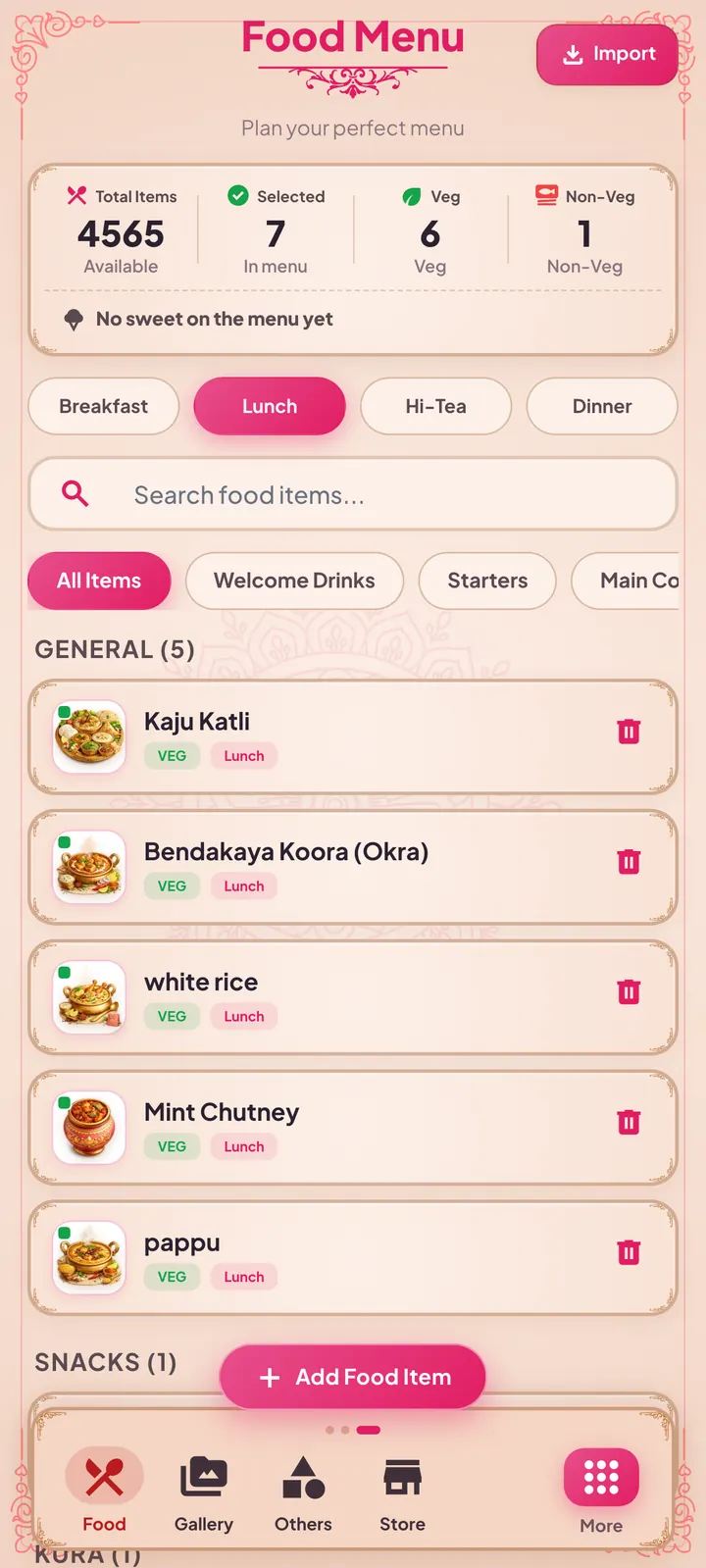
06 / 07
Clothes, jewellery, return gifts, pooja items: lists that update as you buy.
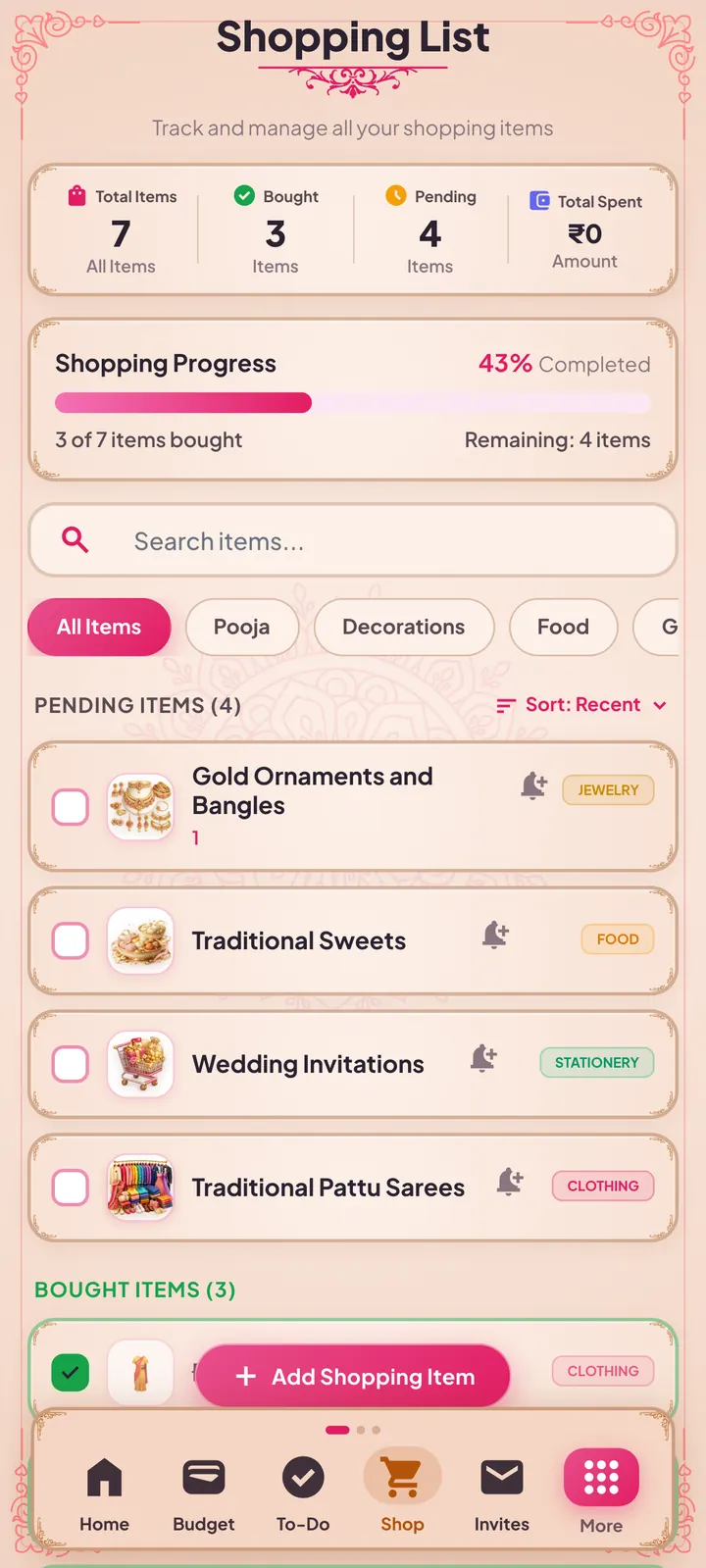
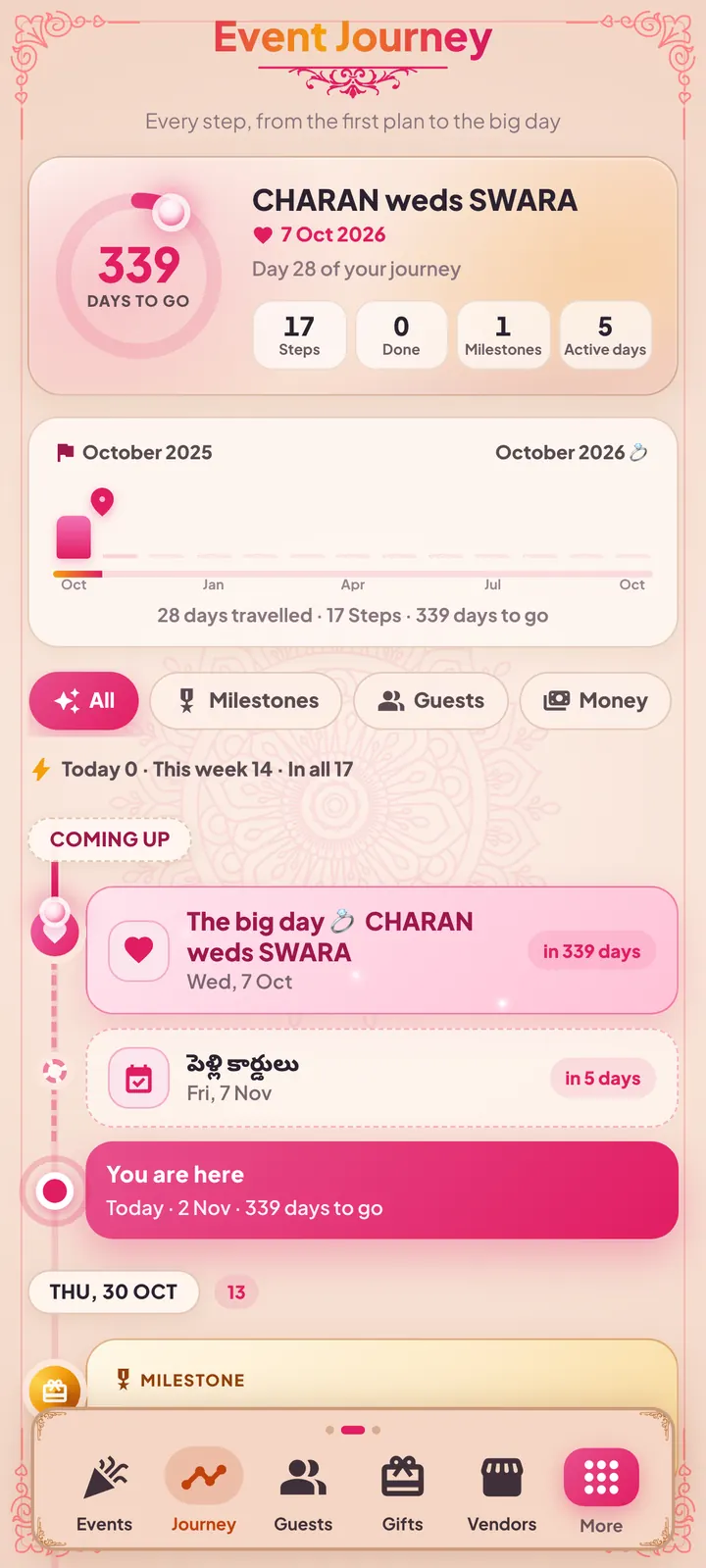
07 / 07
A timeline from the first plans to the big day, with milestones, guests and money along the way.
Agreed, paid and remaining for every vendor, with call and message one tap away.
Attach bills, contracts and photos. They are saved to your own Google Drive.
Download your whole plan as TXT or CSV whenever you like.
AI event assistant
Ask in plain words. It knows your plan, gets your numbers exactly right and points you to the tool in the app that gets it done.
AI messages have a daily limit. Premium gets a higher limit.
What have I forgotten?
A few things need you: the decorator’s balance is due soon, some tasks are overdue and a few guests have not been called yet.
Worked out on your device from your own planగృహప్రవేశానికి ఏమేమి కొనాలి?
పూజ సామగ్రి, పూలు, మామిడి తోరణాలు, తమలపాకులు, అతిథులకు తాంబూలం. వీటిని Shopping list లో పెట్టుకోండి, కొన్నప్పుడు బడ్జెట్లో ఆటోమేటిక్గా పడుతుంది.
Suggest a lunch menu for a naming ceremony.
Pulihora, sambar, a dry curry, curd rice, payasam and one sweet. Add them in the Menu planner and mark each one veg, so the caterer gets one clear list.
Weddings, birthdays, housewarmings, poojas: guests, budget, vendors, menu, shopping and timelines.
Answers with your own event in mind: your budget, your tasks, your guests.
How much is spent, who has confirmed, what you have forgotten: worked out on your device from your own data.
Replies in your app language, and understands Telugu typed in English letters too.
Follow-up questions just work, and your chats are saved on your device for each event.
Every answer ends with the part of the app that gets the job done, like the budget or the menu planner.
6 languages
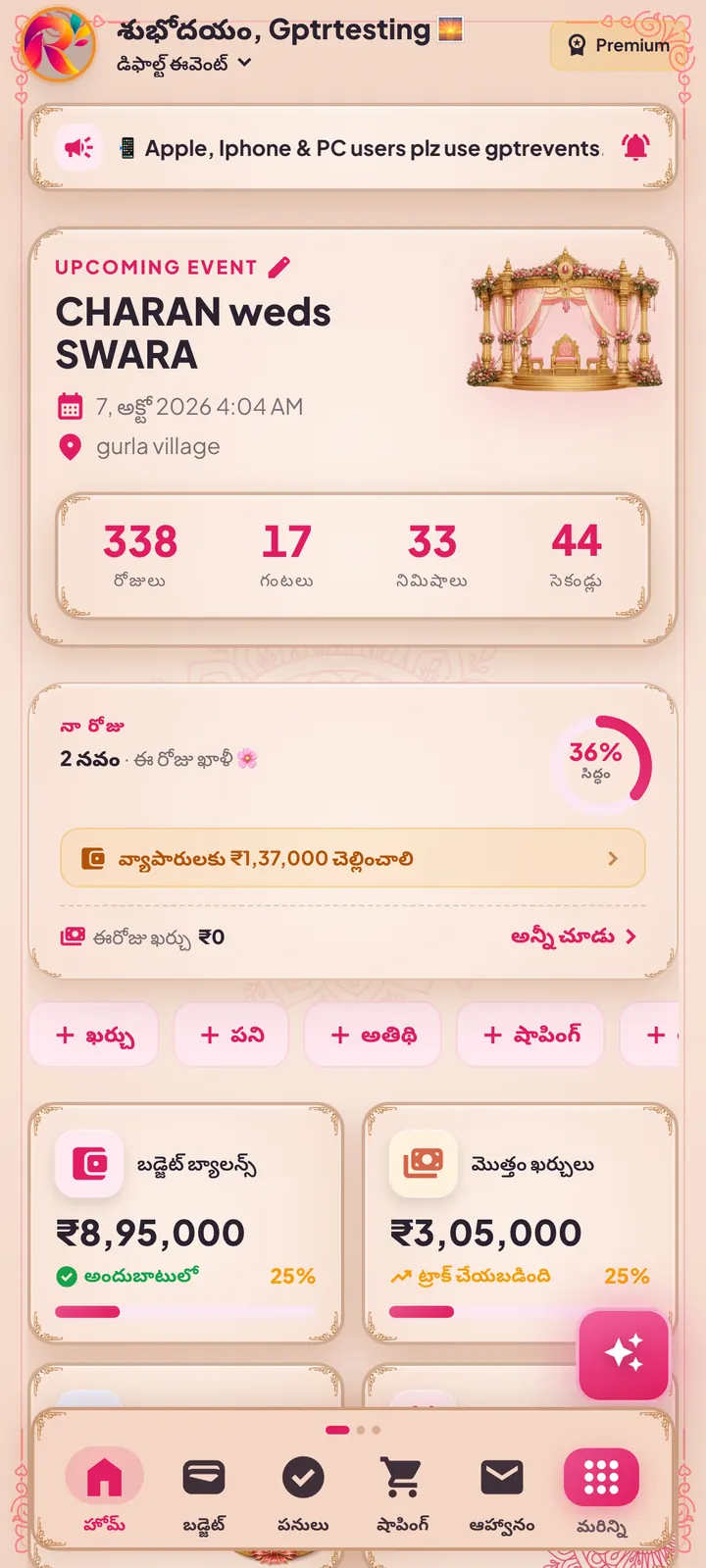
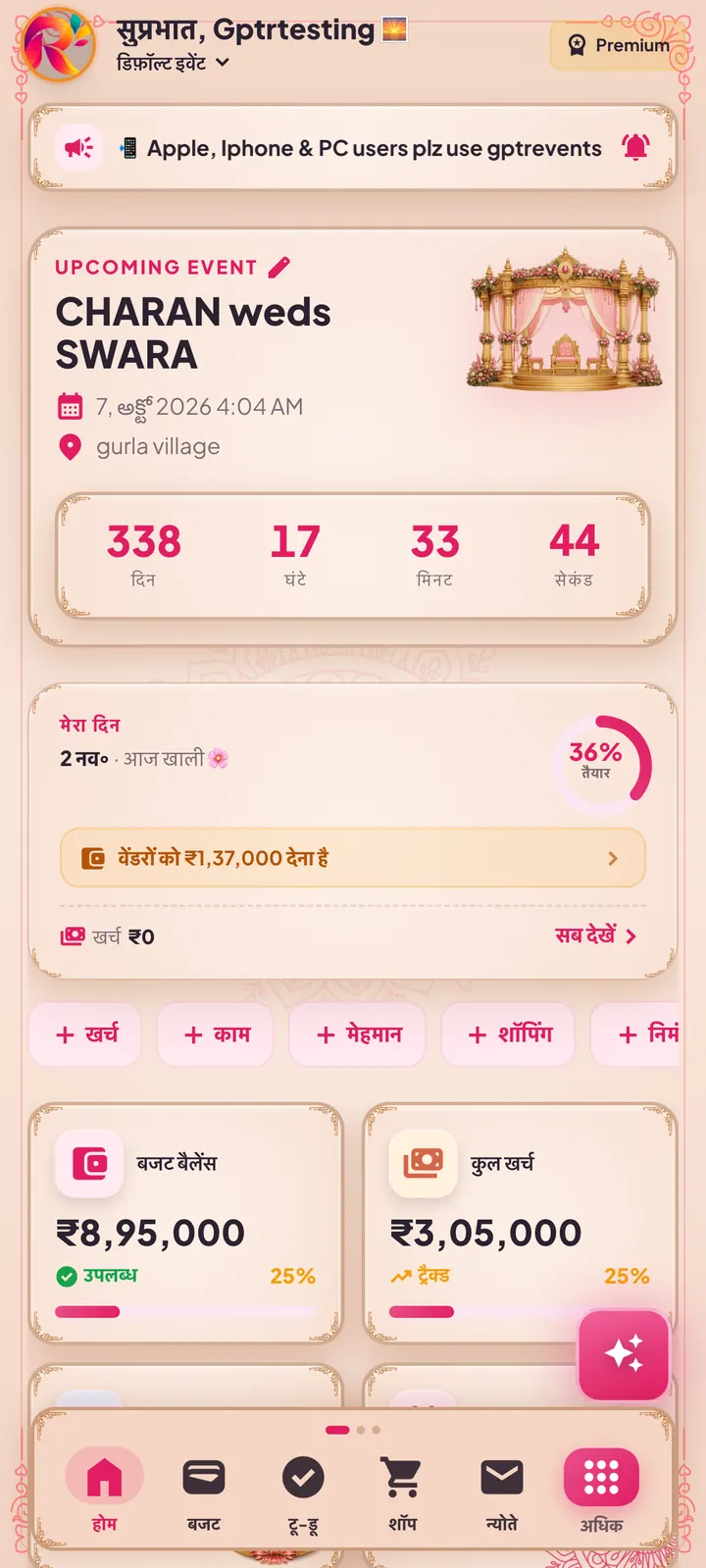
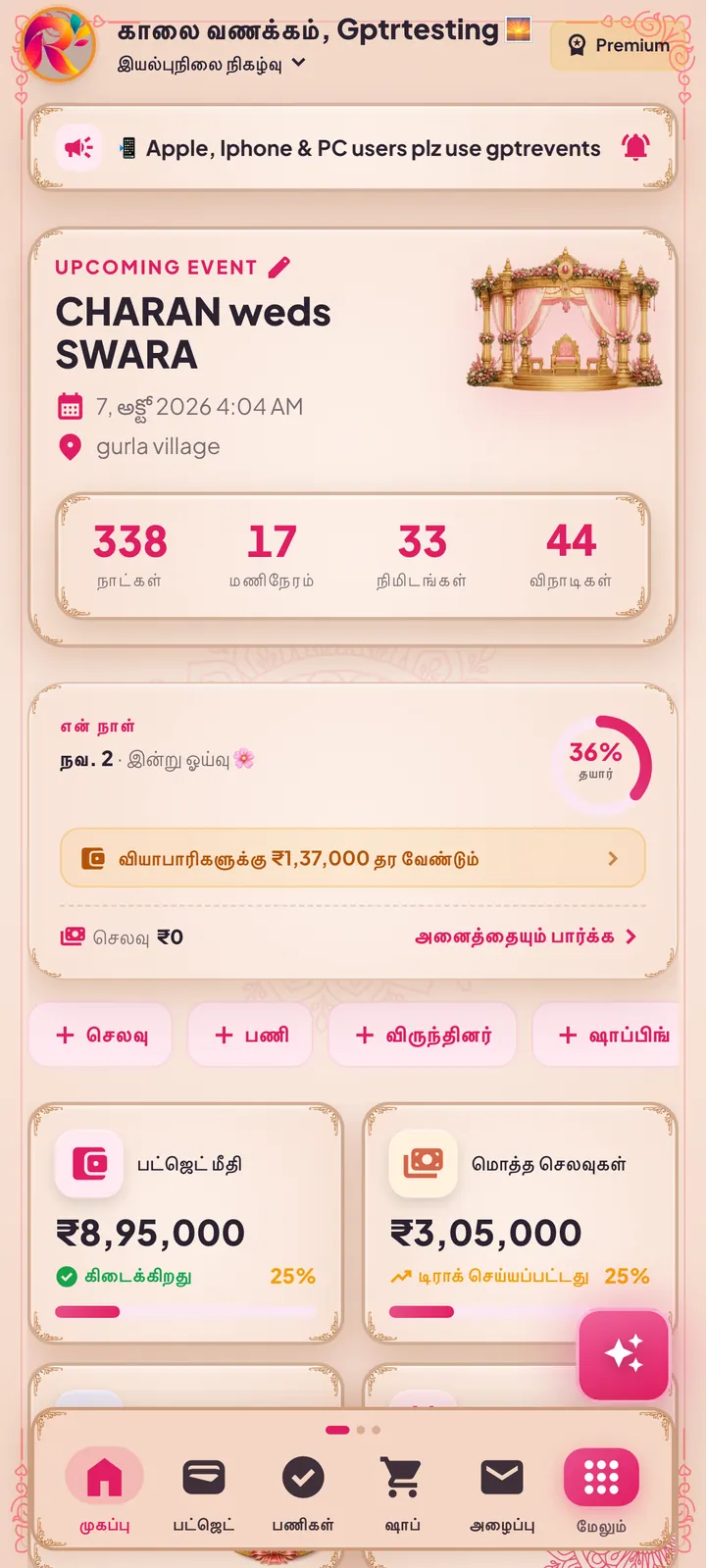
Switch between English, Hindi, Telugu, Tamil, Malayalam and Kannada at any time. Menus, reminders and invitation cards follow.
6 Languages in the app
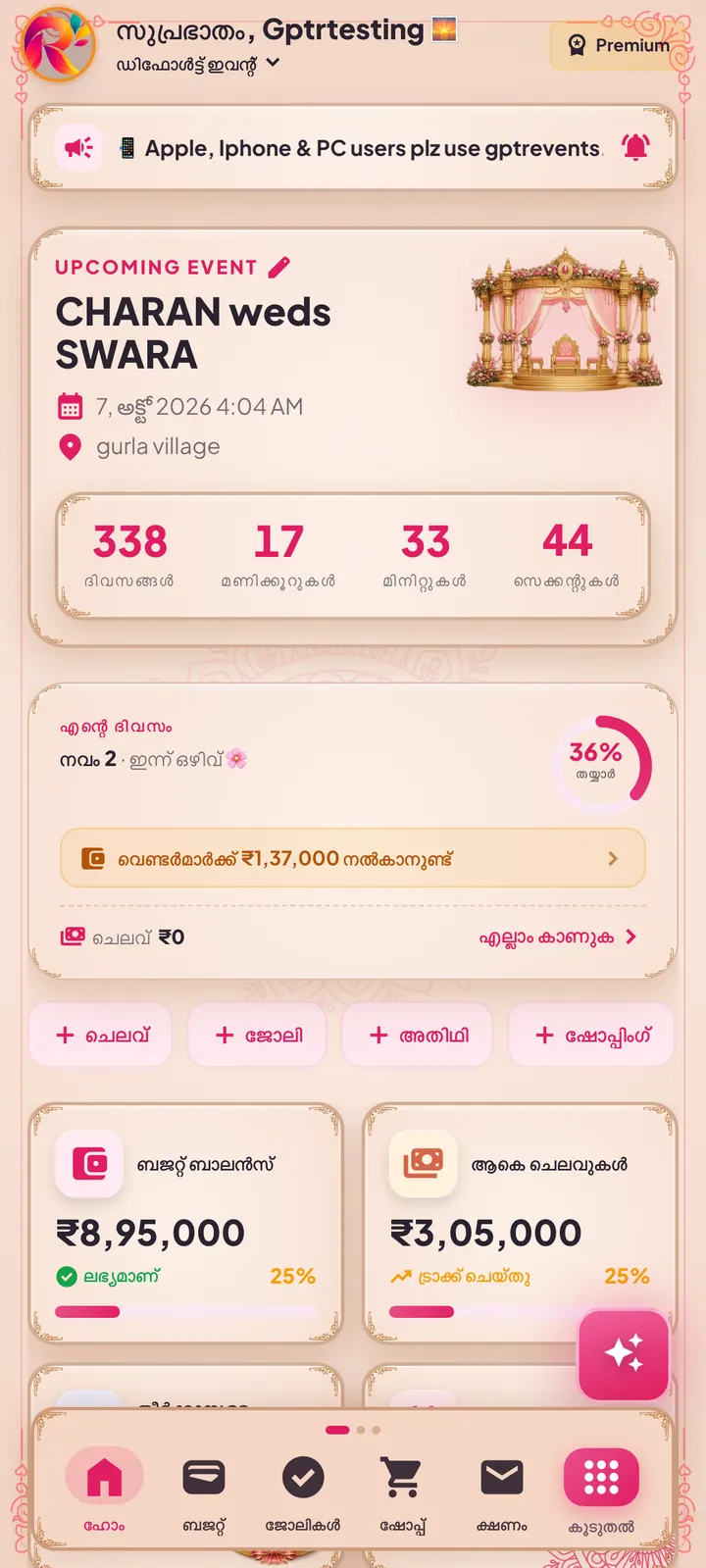
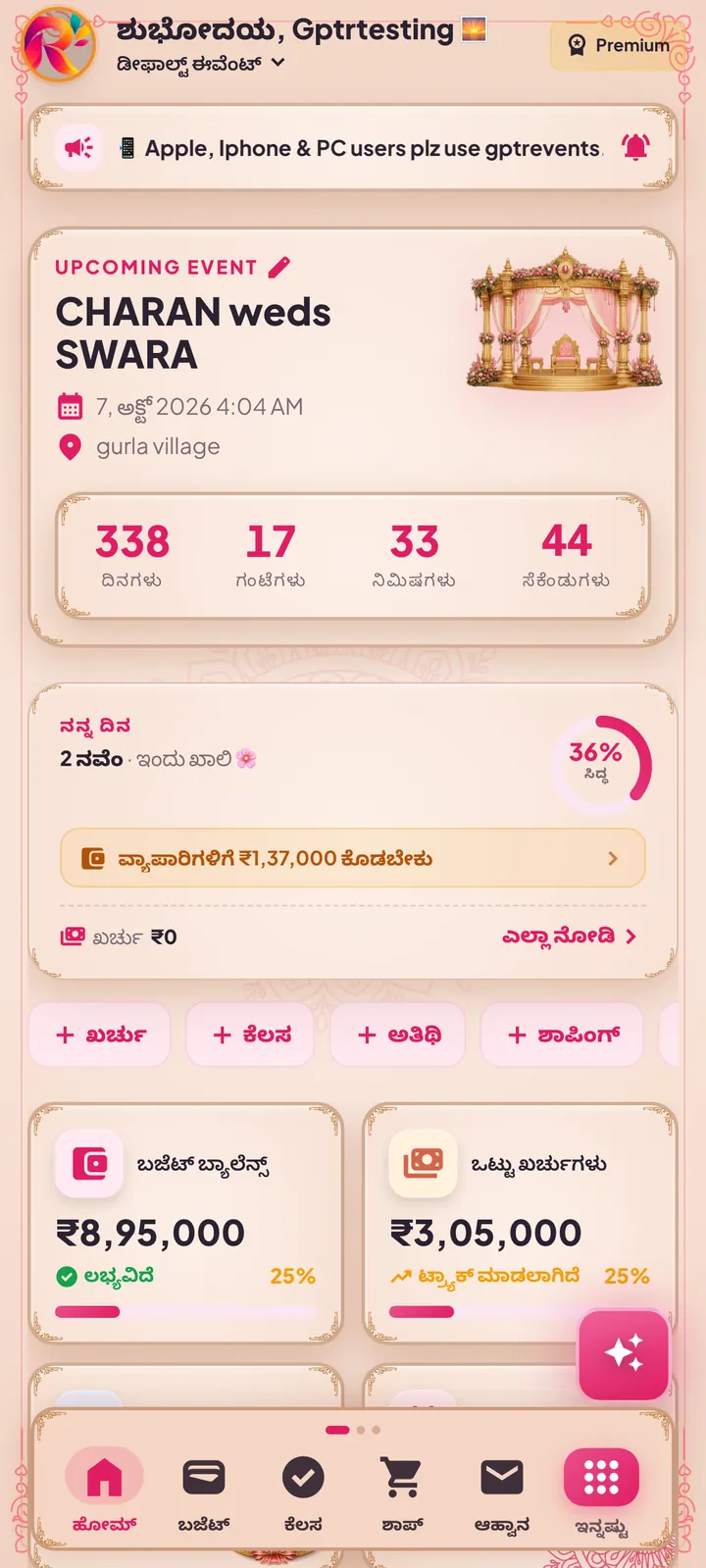
Reminders
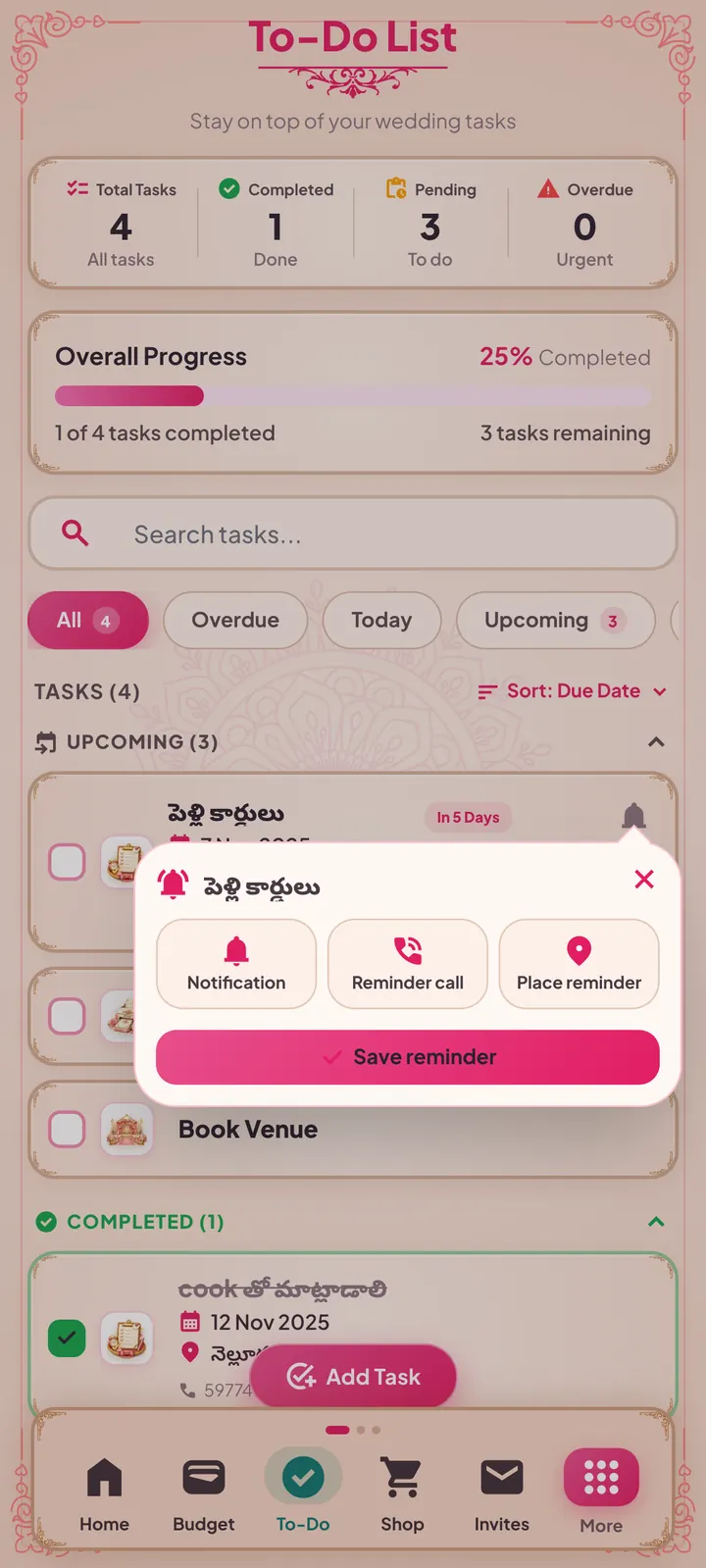
Three kinds of reminder, so the small things never slip: at the right time, at the right place, and as a phone call when it really matters.
How it works
A reminder at the time you choose, for any task, payment or function. Set as many as you need.
Reach the town or the shop and the app reminds you of the work waiting there: buy the items, meet the vendor, pick up the order.
While the app is open. Your location is used on your phone, not stored on our servers.
For the things you must not forget, the app rings you like a phone call, so it is hard to miss.
Private by design
Built for family data: private, protected and there even when the signal is not.
Keep planning without internet. Changes sync when you are back online.
We do not sell, rent or share your data for marketing.
Stored on Firebase, encrypted in transit and at rest, with App Check guarding the backend.
Google Play handles payments. We never see or store your card details.
Place reminders use your location on the device; it is not stored on our servers.
Attachments are saved to your Google Drive, not to ours.
How it works
Add your celebration and each of its functions, with dates and places.
Set a budget per category, build the guest list and note what needs doing.
Reminders keep everyone on time and every guest gets their own invitation on WhatsApp.
Plans
Everything you need to plan an event.
More room for bigger events.
Free to start. Premium is bought inside the Android app; see Google Play for the current price.
GPTR EVENTS
GPTR Event Planner is built by a student founder in India. We watched our own families plan every function with notebooks, WhatsApp groups and endless phone calls, and something always got missed. So we built one calm app, in our own languages and working even offline, so families can enjoy their celebrations instead of worrying about them.
India
FAQ
Yes. It is free to start and the free plan covers planning a whole event. Premium adds more room and is bought inside the Android app through Google Play.
No. Plan weddings, engagements, housewarmings, naming ceremonies, birthdays, anniversaries, baby showers, poojas, festivals, village events and annadanam, or any family function. Each event gets its own functions, budget, guests and invitations.
Pick a design, type the details once and add your guests. The app puts each guest’s name on their own card, in any of the six languages, and you share it on WhatsApp. Premium adds web-page invitations that open as a link and video invitations made in the app.
It answers event-planning questions in your language: what to buy, what to serve, what to book, what you have forgotten. Questions about your own plan, like how much is spent, are worked out on your device from your data. There is a daily limit on AI messages, and Premium gets a higher one.
English, Hindi, Telugu, Tamil, Malayalam and Kannada. You can switch at any time from the app settings.
Yes. You can keep planning offline, and your changes sync when you are back online.
Not yet. On an iPhone, iPad or computer, use the web app in your browser at /app/. Your plan is the same on every device.
On Google Cloud (Firebase), encrypted in transit and at rest. We do not sell, rent or share it for marketing.
Yes. You can export your plan as a TXT or CSV file from the app at any time.
Add a reminder to any to-do and pick how it reaches you: a notification, a reminder call that rings like a phone call (Android), or a place reminder that alerts you when you are near the place while the app is open.
Yes. Open the web app and choose View Demo Data to look around a sample wedding plan without creating an account.
Email founder@gptrevents.com or message us on WhatsApp Business. We reply as soon as we can.
Contact
Questions, feedback or a feature you would like? Write to us.
Free to start on Android and on the web.